Open any feed and the faceless videos that hold attention come in a few clear shapes. One is the explainer: a headline, a card for each point. Another is the story: a voice tells it and a new drawing fills the screen every few seconds, the same character walking through every scene. The third looks like someone's notebook: words, boxes and arrows appear on paper as the idea is explained.
Until now a narrated video in SpliceReel was the first kind. Now you choose between all three before the voice is made, and the choice is a picture, not a setting.
The three kinds
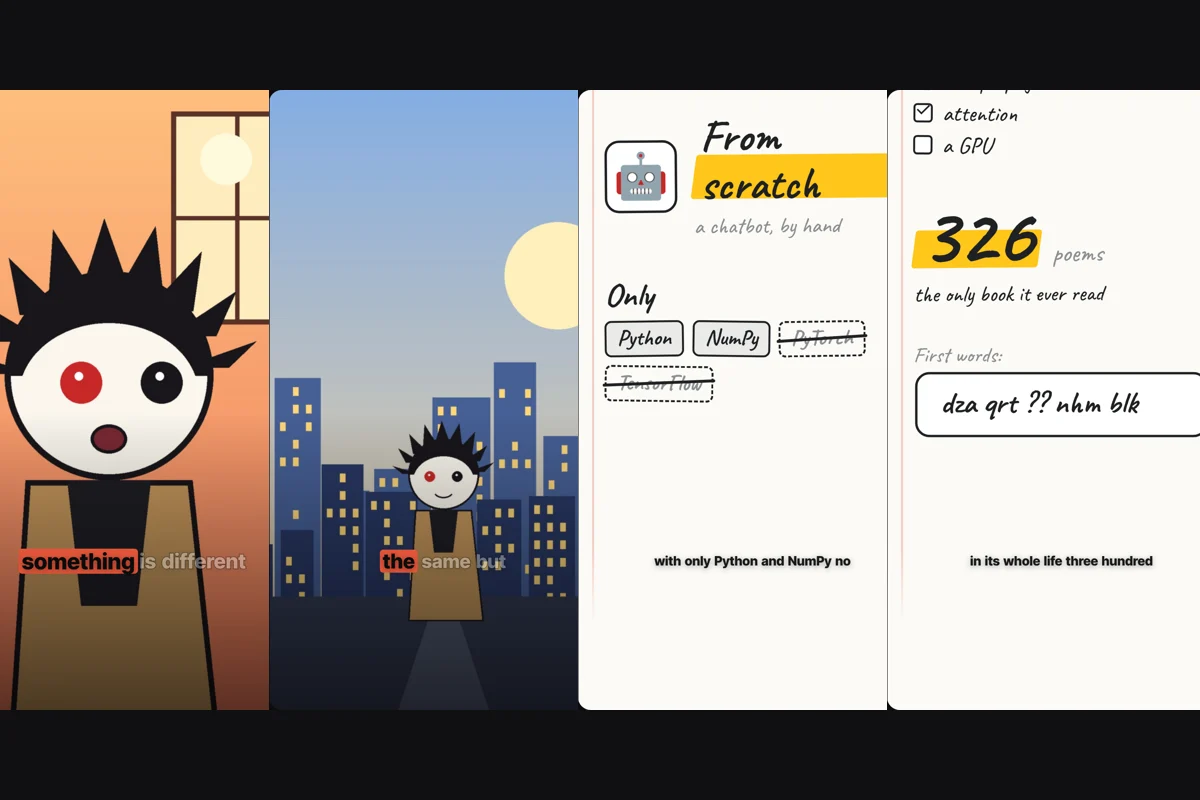
Explainer cards. The sentence builds at the top, a chapter strip names each part, and a motion-graphic card shows every line: numbers count up, lists tick themselves off, comparisons split in two. Best for lessons, lists and how-tos. You can add a cartoon presenter who acts the script out.
Illustrated story. Every beat of the script becomes a full-screen drawing, like a motion comic. The camera drifts slowly over each picture, the pictures cross-fade, and word-by-word captions sit over the lower part. Best for stories, what-ifs, history, case studies, anything with a character and a place.
Sketch board. The reel is a sheet of paper that fills up as the voice goes: a title under a stroke of highlighter, hand-written tags, a number circled, the thing you did not use struck out. Earlier notes stay on the page and the sheet scrolls down, so the viewer sees the whole argument build. Best for one idea explained step by step.
Making an illustrated story
- Write the script under Scripts, or have it written for you. A story reads best in the second person or with a named character: something happens, then something changes.
- Open Narrate with an AI voice and choose Illustrated story.
- Pick a drawing style: Anime, Comic book, Storybook, Noir ink, Cinematic or Clay. Every picture in the video is drawn in that one style.
- The form tells you about how many pictures the script needs and shows the full price before anything starts. Press Narrate.
What happens next: the voice is made, the script is split into beats, and a picture is drawn for each one. The first picture is drawn alone and the rest follow it, so the characters and the line work stay the same from frame to frame. If one picture cannot be drawn, the one before it simply stays on screen a little longer.
In the editor, each picture is a Story panel scene on the timeline. Drag one to change when it arrives, swap its picture for one of your own, or open the picture in the Image studio to retouch it.
Writing a script that draws well
- Name what can be seen. "He knocks over his coffee and catches it before it lands" is a picture. "He realises his reflexes have improved" is not.
- One action per sentence. Each beat becomes one frame.
- Describe your character once, early. Age, hair, clothes, one thing that sets them apart. The same description is carried through every frame.
- Make your own characters. SpliceReel draws original characters; it will not copy a character from a show, a film or a game, even if your script names one.
Making a sketch board
- Write a script that explains one thing in steps.
- Under Narrate with an AI voice choose Sketch board.
- Press Narrate. No pictures are drawn by AI for a board, so it costs the same as a plain narrated video.
The notes are written from your own words: the exact names, numbers and terms you say. In the editor you can rewrite any block, and in a list you can start an item with ~ to strike it out, which is how you show the tool you avoided or the mistake you fixed.
A board and explainer cards are the same scenes drawn two ways, so you can switch between them at any time under Edit → Style → Kind of video and keep whichever reads better.
Which one should you pick?
- You are teaching a method or listing things: Explainer cards.
- You are telling what happened to someone: Illustrated story.
- You are building one idea piece by piece and want it all visible at the end: Sketch board.
When you are not sure, write the script first. If most sentences describe something you could photograph, it is a story. If most are facts and names, it is a board or cards.